
When it comes to evaluating how materials interact under motion, a COF tester plays an essential role in material testing and quality control. At Labthink, we designed the MXD-02 coefficient of friction tester to help laboratories and production teams assess friction characteristics of various surfaces with confidence. In this article we walkthrough how to use a coefficient of friction tester and what key steps matter most for accurate results.
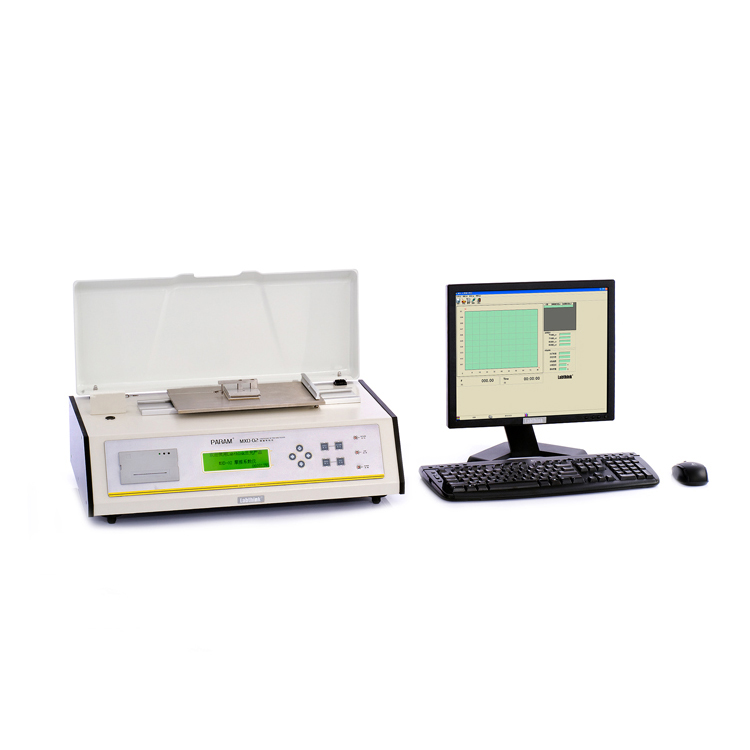
What Is a COF Tester and Why It Matters
A COF tester measures how much resistance occurs when one surface moves against another. It captures both static friction, which is the force needed to start movement, and kinetic friction, which is the resistance during motion. This data is crucial for applications from packaging to polymers where friction affects performance during handling, sliding, or processing.
The Labthink MXD-02 coefficient of friction tester complies with international standards such as ASTM D1894 and ISO 8295, making it relevant for a wide range of industry needs.
Preparing for a COF Test
Before starting a test with a COF tester, prepare your workstation and sample carefully. Ensure the MXD-02 is placed on a stable bench and the surface is clean. Check that the power and software systems are initialized according to the Labthink guidelines. Verify environmental conditions like temperature and humidity if your material is sensitive, as these can affect friction results.
Sample preparation is important. The material you intend to test must be free of dust and properly cut or mounted so that it lays flat in the sled or sample holder. For accurate comparison across materials, aim to standardize sample size and orientation.
Setting Up the COF Test
On the Labthink COF tester's control interface, select the appropriate test mode: static only, kinetic only, or both. You can also adjust parameters like test speed and sled weight if your testing protocol calls for specific conditions. The MXD-02 allows for customized settings to fit different material types.
Attach the prepared sample securely, and position the sled so that it will slide over the designated surface during the test. Double-check alignment to avoid inconsistent readings.
Running the Test
Initiate the test through the Labthink tester’s software interface. The COF tester will then pull the sled across the material surface. For static coefficient measurements, it records the peak force needed to initiate movement. For kinetic tests, it measures the force needed to maintain motion. These forces are translated into numerical values representing the friction coefficient by comparing resistance force to the normal force applied during testing.
During the run, observe the digital readout or software display. Many test systems provide real-time curves showing how friction changes as the sled moves. This feedback helps confirm that the test operates as expected.
Interpreting Your Results
Once the COF tester completes the cycle, review the results within the software. A static coefficient indicates how"sticky" the material is at the start of movement, while the kinetic coefficient shows friction during sliding motion. Lower values usually mean smoother sliding behavior, while higher values suggest more resistance between surfaces.
Record all results along with test conditions so that they can be compared consistently across materials or batches. This step is essential in quality control processes where material specifications must be validated.
Conclusion
Using a coefficient of friction tester like the MXD-02 from Labthink involves thoughtful preparation, careful setup, and attentive execution. By understanding how to prepare samples, configure the tester, and interpret results, you can obtain meaningful friction data that supports product quality and performance assessment. Whether static or kinetic measurements are your focus, following a structured approach ensures your testing yields reliable information for decision making.